Previews show the real worksheets filled with sample data.
About this product
The Freelancer Business Starter Toolkit is a practical collection of spreadsheet templates for people who work for themselves. It brings your income, expenses, invoices, clients, projects and monthly cash flow into a single Excel workbook so you can see where you stand without building anything from scratch.
It is deliberately simple. Each worksheet has one job, drop-down lists and validation keep entries tidy, and a dashboard summarises the year. The formulas are visible and unlocked, so you can adapt the workbook to fit how you work.
- Drop-down lists and date/number validation keep your data clean
- Conditional formatting for payment status and project deadlines
- USD or EUR labels from one setting (no currency conversion)
- Formulas are visible and unlocked, so you can adapt them
- No macros, no add-ins, no subscription
Every file and feature
Everything you receive after purchase, in detail.
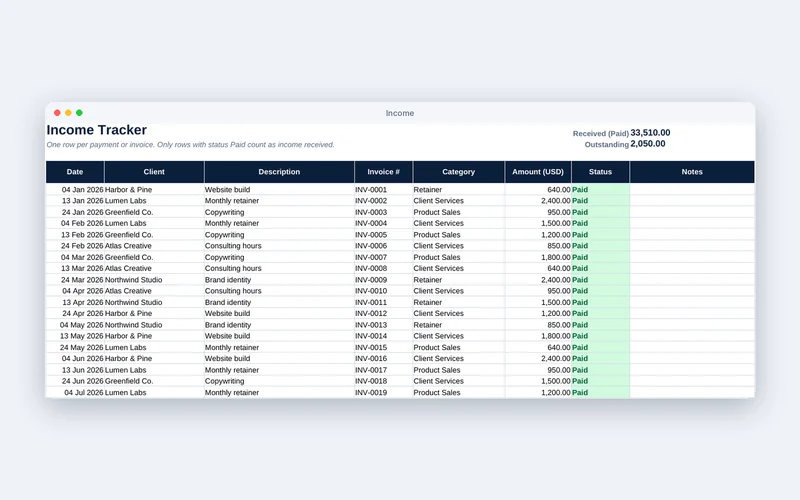
Income Tracker
Log payments with client, invoice number, category and status. Paid, pending and overdue amounts are totalled for you.
- Date, client, description, invoice number, category, amount and status
- Drop-down lists for category and status
- Totals for money received and money outstanding
- Colour-coded Paid, Pending and Overdue
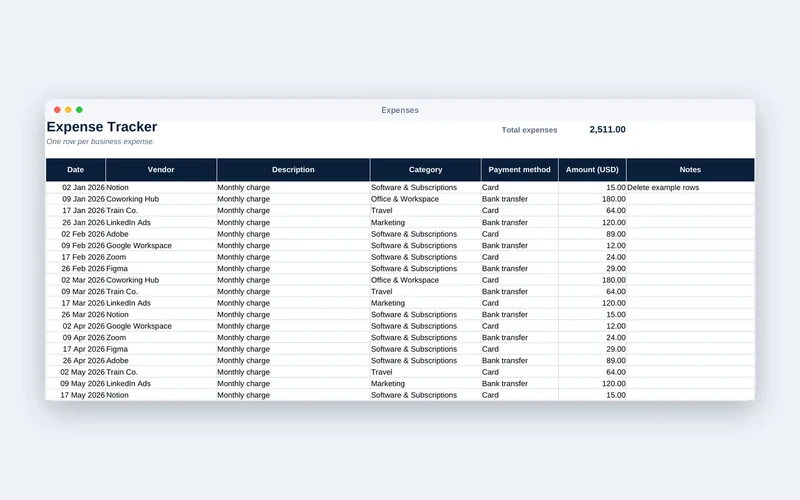
Expense Tracker
Record spending by category and payment method, with a running total and a category breakdown on the dashboard.
- Date, vendor, description, category, payment method and amount
- Ten editable expense categories
- Running total at the top of the sheet
- Feeds the dashboard automatically
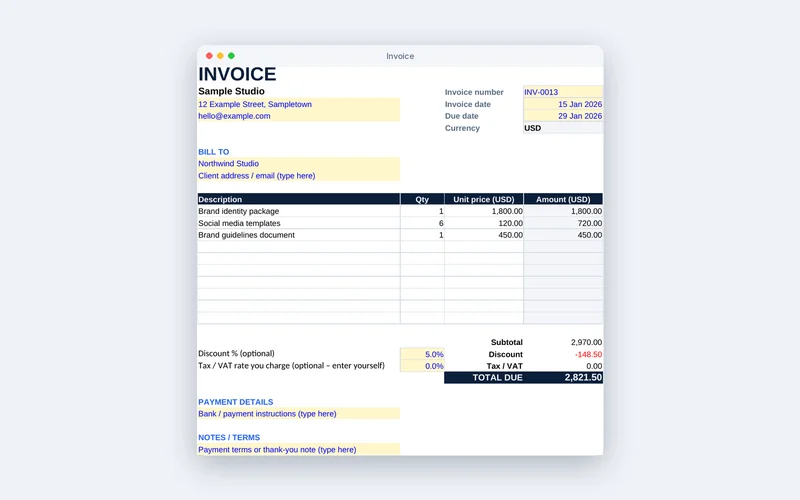
Invoice Template
A one-page printable invoice with automatic line totals, an optional discount and an optional tax/VAT rate that you enter yourself.
- Ten line items with automatic line amounts
- Optional discount percentage
- Optional tax/VAT rate that you enter yourself
- Set up to print on one page or save as PDF from Excel
Client & Project Tracker
Keep a client list with totals received and outstanding, plus a project list with status, priority, budget and due-date alerts.
- Client list for up to 200 clients with automatic totals
- Project list with status, priority, start and due dates and budget
- Days-until-due with amber and red alerts
- Client and status drop-downs
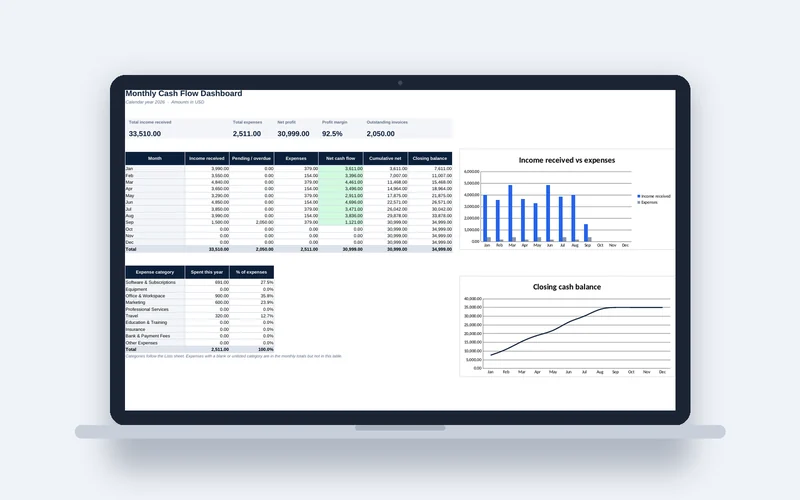
Monthly Cash Flow Dashboard
Twelve-month overview with key figures, net cash flow, closing balance, expense breakdown and two charts.
- Key figures: income received, expenses, net profit, margin, outstanding
- Month-by-month table with cumulative net and closing balance
- Expense breakdown by category
- Income vs expenses chart and closing balance chart
Quick Start PDF Guide
A short step-by-step guide explaining how to use every worksheet.
- Four pages, one section per worksheet
- First steps, colour legend and currency notes
- Practical tips for each tool
- Clear notes on what the toolkit does not do
Who it is for
- Freelancers and independent professionals who want their finances organised in one file
- Small business owners who prefer a simple spreadsheet to accounting software
- Anyone moving from scattered notes and invoices to a tidy system
What it is not
- Tax filing, formal bookkeeping or payroll. This is an organisational tool, not accounting or tax software, and not advice.
- Tracking several currencies in one workbook. Use one workbook per currency.
How you receive it
- Pay on the secure Gumroad checkout.
- Gumroad shows a download page straight after payment and emails you a download link.
- Download the ZIP, extract it and open the workbook in Excel.
Nothing is shipped. See Digital delivery for details and what to do if you cannot find your email.
Compatibility
| Software | Status |
|---|---|
| Microsoft Excel for Windows (2010 or newer) | Designed for |
| Microsoft Excel for Mac (2016 or newer) | Designed for |
| Excel for the web | May work; not tested |
| Google Sheets, LibreOffice, Apple Numbers | Not supported |
One workbook uses one currency (USD or EUR). The currency setting changes labels only and does not convert amounts.
Product questions
What do I get?
One ZIP file containing the Excel workbook (.xlsx) and a PDF Quick Start Guide.
How do I receive it?
After payment, Gumroad shows a download page and emails you a download link. Nothing is shipped.
Which programs does it work with?
It is designed for desktop Microsoft Excel. Google Sheets, LibreOffice and Numbers are not supported, so features such as drop-downs, conditional formatting and charts may not work there.
Can I use USD or EUR?
Yes. Choose one currency on the Start Here sheet. It changes the labels only and does not convert amounts, so do not mix currencies in one workbook.
Does it calculate my taxes?
No. It does not calculate taxes and is not accounting or tax advice. The invoice has an optional rate field that you fill in yourself.
Can I edit it?
Yes. The formulas and layout are not locked, so you can adapt the workbook for your own business use.
Ready to get organised?
One payment, one download, yours to use in your own business.
Checkout is not available yet. The store owner still needs to add the Gumroad product URL (see src/config/site.ts or the PUBLIC_GUMROAD_CHECKOUT_URL setting).